Last Updated: August 5, 2026
The costliest RPM billing mistakes are missing the 16-day data requirement for CPT 99454, under-logging the required 20 minutes for CPT 99457, and maintaining incomplete or weak clinical documentation that cannot support a claim.
That’s exactly where things start to slip through the cracks. Remote patient monitoring billing errors involve everything from incomplete documentation to misunderstandings around rules such as 16-day requirements. And when it comes to Medicare RPM billing errors, even one minor oversight can lead to repeated RPM claim denials.
Ultimately, a program that looks effective on the surface can struggle to deliver its full potential.
Let’s explore some of the most common pitfalls, including CPT 99453, 99454, and 99457 billing errors, and how you can avoid them.
Common RPM Billing Mistakes at a Glance
| Billing Mistake | Impact | How to Avoid It |
|---|---|---|
| Missing the 16-day monitoring requirement (CPT 99454) | Claim may not qualify for reimbursement | Monitor patient adherence and verify qualifying data days before billing. |
| Inaccurate time tracking (CPT 99457/99458) | Lost reimbursement or claim denial | Use automated time tracking and validate monthly totals. |
| Incomplete clinical documentation | Higher denial and audit risk | Record medical necessity, patient interactions, and care management activities consistently. |
| Incorrect billing of CPT 99453 | Denials and compliance issues | Bill only after completing device setup and patient education. |
| Device transmission failures | Missing qualifying monitoring days | Monitor device connectivity and resolve transmission issues promptly. |
| Billing conflicts with CCM, PCM, or other providers | Duplicate claims or payment delays | Coordinate billing ownership and apply CMS billing rules correctly. |
What Are the Most Common RPM Billing Mistakes?
The 16-day data requirement for CPT 99454 looks simpler on paper, but it is one of the most common and costly RPM billing mistakes. This is something where every program can drop the ball.
If you submit claims without confirming that your patients have recorded data on at least 16 days within a 30-day period, your claim may be denied. It might look like the device was used regularly, but this “almost there” approach doesn’t count in RPM billing.
If this 16-day data requirement isn’t met, your claim doesn’t stand a chance, causing RPM claim denials. And this is exactly where many providers can run into trouble. Confusion among many providers usually starts with what counts as a “valid day” of data.
It’s not enough for patients to simply have the devices; they must record and transmit readings consistently. If they miss a few days, the entire claim can become ineligible.
The key here is consistency. If you track data proactively by using automated systems, you can easily catch gaps early and avoid submitting claims that don’t meet the 16-day requirement.
Device & Data Transmission Errors
Even though your patients are enrolled, and devices are in place, things can still go sideways if the data is not flowing as expected. This is another critical RPM billing mistake.
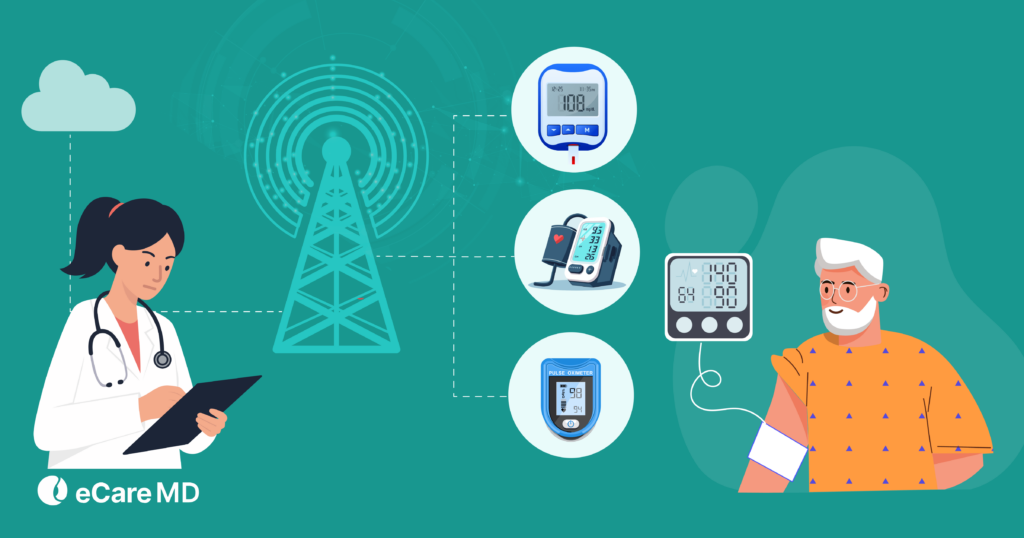
In many cases, the main issue is not that patients aren’t using the device; it’s that the data is not being transmitted properly. This data flow can be interrupted due to several factors, such as connectivity issues, syncing failures, or even incorrect device usage.
Things get trickier because many teams assume data is being collected once devices are activated, without verifying actual transmission. This assumption can be costly, as for monthly billing under CPT 99454, the data must be successfully transmitted and recorded.
If there are gaps in transmission, those days may not count. This can directly impact eligibility while increasing the risk of RPM claim denials. Over time, these remote patient monitoring billing errors can create a disconnection between the care being delivered and the revenue being generated.
However, by regularly checking data transmission, identifying connectivity issues early, and ensuring that patients are properly using their devices, you can keep your program on track.
Incorrect Billing of CPT 99453 (Initial Setup)
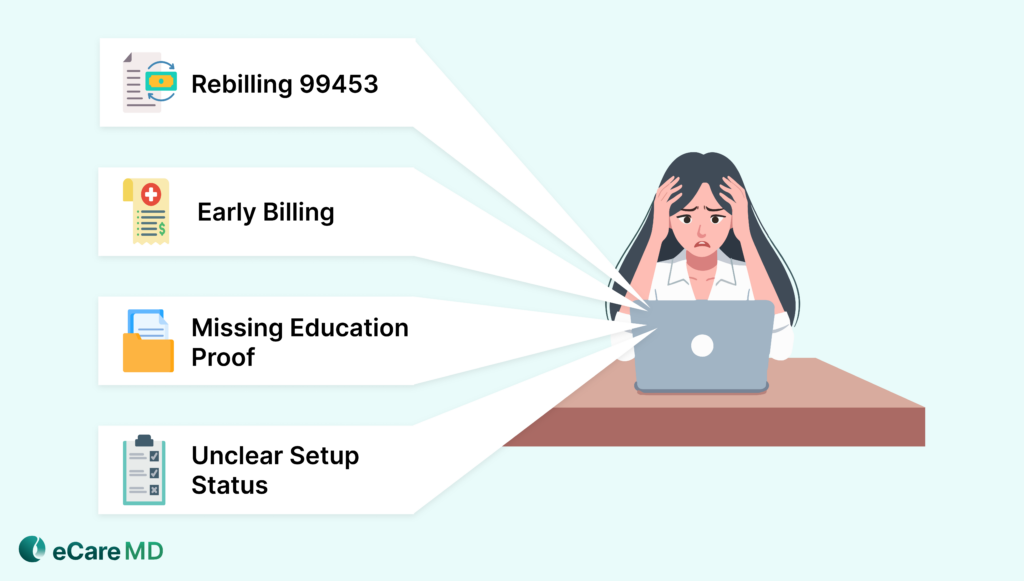
CPT 99453 plays a key role in onboarding patients into an RPM program, but it’s also where many providers can get into trouble. At first, these may seem like small RPM billing mistakes, but they can lead to denials or even audits if you do not handle them correctly.
Let’s have a look at some of the most common issues:
1. Billing 99453 more than once per episode of care:
This code is meant to be billed only during the initial setup. If you rebill it for some patients, it can raise compliance concerns and trigger denials.
2. Missing or incomplete patient education documentation:
To hold your claim up, it is not enough to simply set up the device. You must clearly document that the patient was educated on how to use the devices.
3. Incorrect timing during patient onboarding:
If you bill before the full completion of setup and education, it can make your claim ineligible. Additionally, it can lead to avoidable Medicare RPM billing errors.
4. Lack of clarity around setup completion:
Without proper internal tracking, teams may assume setup is complete when it’s not, resulting in cpt 99453 99454 99457 billing errors.
These small mistakes can open the door to RPM claim denials and compliance risks. Getting CPT 99453 right from the start sets a solid foundation for the rest of your RPM billing.
Time Tracking & Documentation Errors (99457 & 99458)
For time-based RPM codes, accuracy is everything. CPT 99457 and 99458 depend on proper time tracking and clear documentation; even small mistakes in them can lead to RPM billing mistakes that can affect reimbursement.
Here’s a quick summary of common errors and their impact on billing:
| Common Error | What Goes Wrong | Impact on Billing |
|---|---|---|
| Failing to meet the 20-minute threshold | Time spent is below the required minimum for 99457 | Claim becomes ineligible |
| Incorrect time aggregation | Time isn’t combined across the month properly. | Missed billing opportunities |
| Missing clinical documentation | No clear record of patient interaction or care management | Higher risk of denials |
| Manual tracking errors | Time is overestimated or underestimated. | Leads to overbilling or lost revenue |
The smarter approach you can use to avoid these challenges is to use automated time tracking and validation. With this, you can close documentation gaps, ensure accurate aggregation, and make sure that every eligible minute is captured.
Billing Conflicts: Global Periods & Concurrent Care
If all these things are in place, one other thing that can lead to RPM billing mistakes and unexpected denials is billing conflicts. As RPM usually overlaps with other services and providers, a lack of coordination can quickly create issues.
Let’s understand this more deeply:
| Conflict Area | What Goes Wrong | Impact on Billing |
|---|---|---|
| Global surgical periods (10/90 days) | RPM billed during restricted periods without proper eligibility | Claims may be denied as non-payable |
| Incorrect modifier usage (-58, -78, -79) | Wrong or missing modifiers create confusion for payers | Increased risk of denials |
| RPM with CCM/PCM services | Overlapping services without clear separation | Leads to Medicare RPM billing errors |
| Multiple providers billing RPM | More than one provider bills for the same patient | Duplicate claims and denials |
| Lack of care coordination | No clear ownership or communication between providers | Higher chance of remote patient monitoring billing errors |
The solution to these challenges involves establishing clear billing ownership, using modifiers correctly, and ensuring strong coordination across all services.
Lack of Medical Necessity Documentation
Another key issue that can prevent claim approval is lack of medical necessity. This is one of the most common RPM billing mistakes that leads to denials and audits.
RPM is not just about collecting patient data; it’s also about showing why that data is needed. Your claim may not be approved if there is no connection between monitoring and the patient’s condition or treatment plan.
Let’s have a look at the table to get a quick summary:
| Issue | What Goes Wrong | Impact on Billing |
|---|---|---|
| No link to condition | RPM is billed without connecting it to a diagnosis | Claims get denied |
| Missing documentation | No clear reason was mentioned in the patient records | Higher denial risk |
| Data not used in care | Monitoring doesn’t support treatment decisions | Seen as unnecessary |
| Incomplete records | Notes are weak or unclear | Risk of audits and recoupments |
Conclusion: From Billing Errors to Revenue Stability
RPM success depends just as much on billing accuracy as it does on clinical care. Even small RPM billing mistakes can lead to ongoing RPM claim denials and lost revenue.
The key is consistency. When tracking, documentation, and validation are done right, most remote patient monitoring billing errors can be avoided.
Because in the end, better billing doesn’t just reduce errors, it builds a more stable and predictable revenue stream.
Click here to know more about it.




















![The Future of Remote Patient Monitoring: CMS Innovations & Emerging Trends [2026]](/wp-content/uploads/2024/07/Blog-36-The-Future-of-Remote-Patient-Monitoring_-Trends-AI-Innovation-CMS-Updates-for-2026-1024x538.png)